This article shows you practical adjustments to improve elevator accessibility in your building without major renovations. You will see what to ask your technician, what elements to consider in the location and design of push-button stations, button contrast and feel, communication via display or intercom, and how Alamex spare parts help you implement each improvement. At the end you will have a list of data you should have on hand to request a quote.
›››Design and location of the floor push-button station: accessibility from the entrance
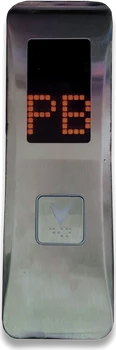
The floor push-button station is the first point of contact. For people with reduced mobility, it is convenient to locate it at an accessible point from the ramp or door, without obstacles and at a height the user can reach without effort. Before moving or changing the push-button station, coordinate with a qualified technician to verify the cable routing and the connection type of the current push-button station.
If you are looking for a durable push-button station with numbering options for buildings with basements or many levels, consider the Parallel Push-Button Station Square Button Family. Its features include floor and car push-button stations with 1 and 2 square buttons, options with and without display, 24 V power supply, and numbers from -5 to 32. The parallel connection makes it suitable for installations that require this type of wiring.
How to choose: for buildings with basements or many levels, select the variety with a number range that covers all floors. If the current installation uses parallel connection, confirm compatibility with the Parallel Push-Button Station Square Button Family and ask your technician to verify the 24 V power supply.
What to review with your technician: physical accessibility to the entrance, cable routing, whether the current push-button station has a functional display, and the orientation of the push-button station so it is visible from the ramp or hallway. Final recommendation: a qualified technician should install or relocate the push-button station to ensure correct connection and mounting.
- Prioritize side and front access without obstacles.
- Confirm parallel connection and 24 V with the technician.
- Choose versions with display if floor indication is required.
›››Button shape and feel: round vs square and Braille
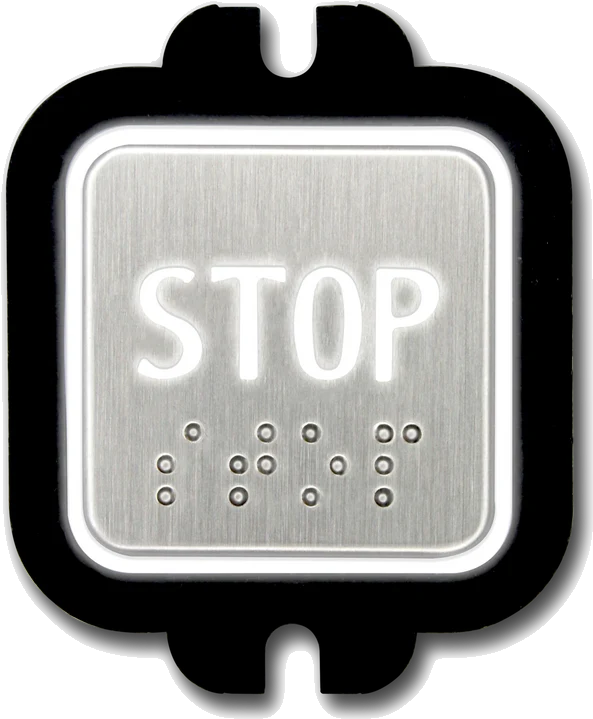
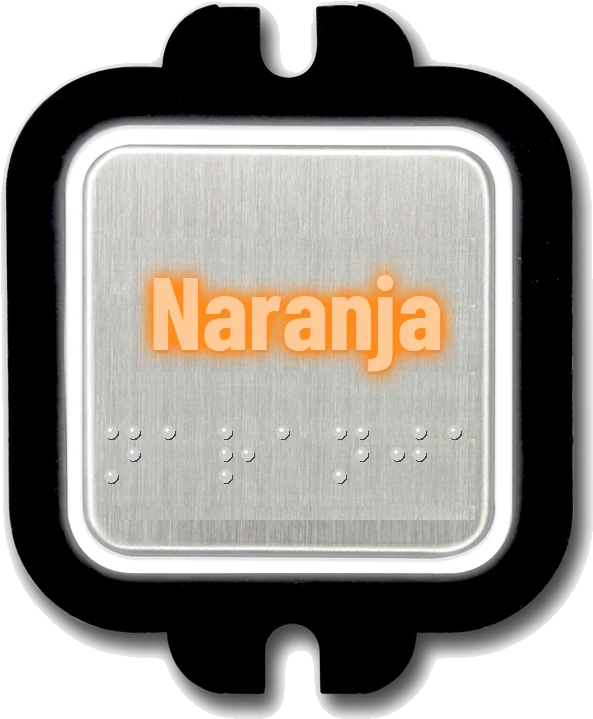
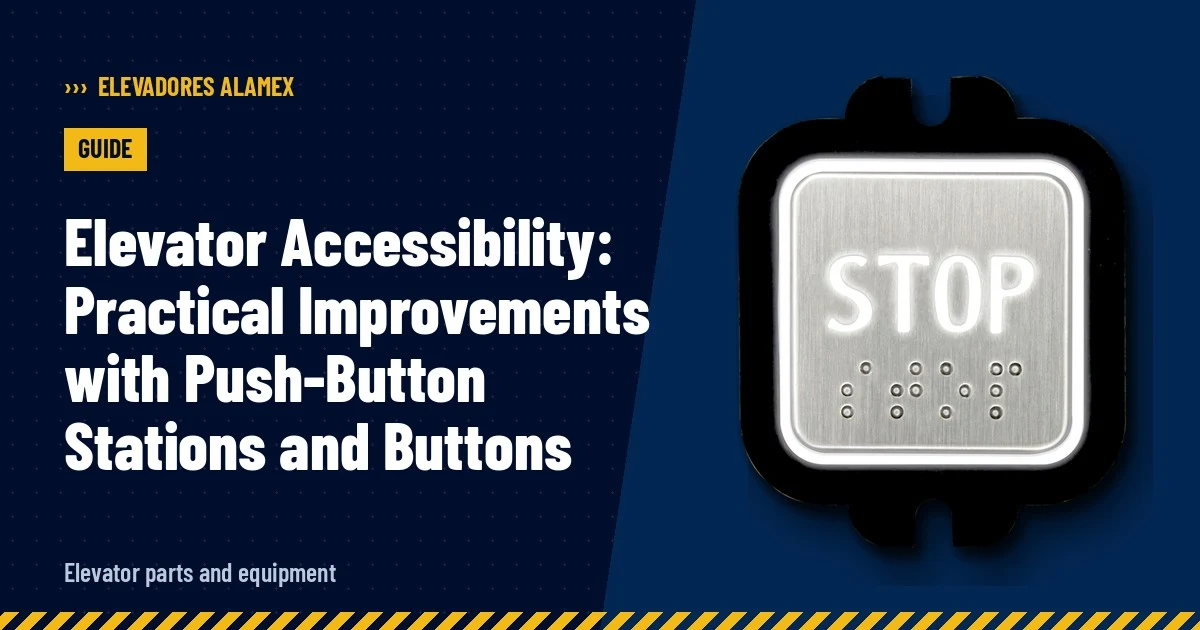
Feel and shape help identification by users with low vision or dexterity problems. Round buttons are usually easy to locate with the hand; square buttons can offer a larger surface for the finger. What is really important is choosing buttons with tactile options and Braille when necessary.
To have options with Braille and LED light at 24 V, check the Square Button Family and the Round Button Family. Both families are made of high-density plastic and offer variants with and without threads, with and without Braille, and Slim version. Additionally, they work with common positive or common negative connection and illuminate with LED light at 24 V.
How to choose: if your priority is tactile reading for users with low vision, select the version with Braille. If you seek aesthetic consistency with existing push-button stations, compare the shape (round or square) and the Slim version for tight spaces. LED light improves visibility in low-light conditions; confirm with your technician the 24 V power supply and the connection type (common positive or common negative) to ensure compatibility.
What to review with your technician: that the new buttons fit the faceplate, that the connection system (common positive or common negative) is correct, and that the LED light intensity is adequate to avoid glare. Never attempt to open the push-button station without training; always ask the technician to perform the replacement.
- Use versions with Braille for tactile accessibility.
- Confirm common positive or common negative connection.
- Slim version for small spaces or narrow fronts.
›››Contrast and readability: clear displays and numbering
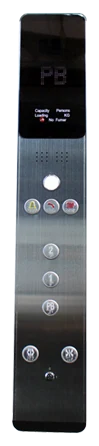
The contrast between the number and background, as well as the size of the indicator, facilitates floor identification from the floor push-button station. Push-button stations with display help low-vision users because they show the floor number in a larger and more luminous form than a simple engraving.
If you want clear displays in different styles, consider the White Display Push-Button Station Family and the Round Button 7-Segment Family. The White Display Push-Button Station Family offers floor and car push-button stations with round button and white display with numbers from 1 to 15, which provides uniform aesthetics. The Round Button 7-Segment Family has a 7-segment display and numbers from 1 to 11, useful when a traditional segment indicator is required.
How to choose: prioritize white or 7-segment display based on the visibility you need and the car aesthetics. Verify with your technician if your current system accepts the chosen display family and the power supply needed for correct operation.
What to review with your technician: display operation, alignment of the number with the corresponding button, and contrast in lighting to avoid reflections. If the push-button station has a display that is off or with damaged segments, it is a sign of replacement and it is advisable to select the version that reads best from the usual user distance.
- White display for uniform aesthetics and good readability.
- 7-segment for traditional and readable indicator.
- Check readability from the usual operating distance.
›››Serial vs parallel push-button stations: compatibility and functions
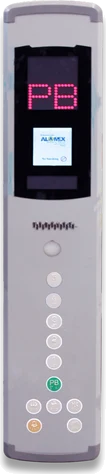
The way the push-button station communicates with the elevator control determines compatibility and available functions. Push-button stations with parallel connection are used in installations that require point-to-point wiring, while push-button stations with serial connection integrate digital communication and often advanced control and diagnostic functions.
For installations that already use Intelligent control or the 02s platform, the Alamex Intelligent Push-Button Station Family is an option designed for that compatibility. These push-button stations feature 1 and 2 round buttons, red display, 24 VDC power supply, and serial connection; they are compatible with Intelligent control and 02s. For installations with parallel connection, the Parallel Push-Button Station Square Button Family offers parallel connection and 24 V power supply.
How to choose: verify the type of elevator control. If your equipment is based on Intelligent control or 02s, the serial push-button station is the natural route; if the system uses classic parallel wiring, the parallel push-button station will be appropriate. A qualified technician should confirm the connection type, power supply (24 V or 24 VDC), and compatibility before making the change.
What to review with your technician: protocol compatibility, need for adapters or boards, and cable condition. Avoid interventions by unqualified personnel; correct communication between push-button station and control is critical for safety and call response.
- Serial for Intelligent control and 02s; parallel for point-to-point wiring.
- Confirm power supply: 24 V vs 24 VDC.
- A technician must validate compatibility before installation.
›››Door operation and call buttons: smooth operation for users with reduced mobility

Door timing and operation directly impact the experience of users with reduced mobility. Controls that respond accurately to calls and that maintain clear lighting on buttons facilitate access and reduce the need for additional maneuvers.
To ensure clear calls from floor and car, consider the combination of floor push-button stations with displays and robust buttons. The Parallel Push-Button Station Square Button Family and the Alamex Intelligent Push-Button Station Family offer alternatives with display and options for 1 or 2 buttons for internal and external calls. Column-type or horizontal car push-button stations and position indicators are also part of the set that facilitates user orientation inside and outside the car.
How to choose: select push-button stations that offer visual response (display or LED lighting) and well-identified tactile buttons. Confirm with your technician that the control logic allows sufficient opening time and that doors recover correctly when obstructed. If your building prioritizes aesthetic uniformity, the White Display Push-Button Station Family can help maintain a consistent front between floor and car.
What to review with your technician: synchronized operation between call button and door action, status of door detectors, and adjustment of opening timer. All interventions on doors and mechanisms must be performed by qualified technicians to avoid risks.
- Combine display and LED lighting for clear visual response.
- Check synchronization between call and door operation with technician.
- Car push-button stations and position indicators help user orientation.
›››How to prepare your quote: data you should have on hand
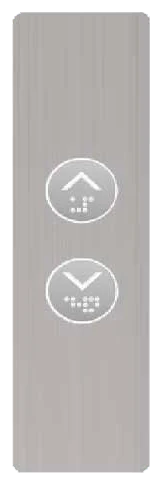
Before requesting a quote, gather clear data so that the technician and supplier can identify the correct spare part and compatibility with the current system. Avoid assumptions and provide information as accurately as possible to speed up diagnosis and part selection.
Key data to gather: type of push-button station (floor or car), button shape (round or square), whether you need Braille, connection type (parallel or serial), available power supply (24 V or 24 VDC), and whether you need a display (white, red, or 7-segment). If the current push-button station has numbering in a specific range (for example from -5 to 32 or 1 to 15), note that range to choose the appropriate family.
Among the spare parts most requested by building managers are White Round Button and Slim Square Button; if your project requires a complete family with display, the White Display Push-Button Station Family or the Round Button 7-Segment Family are often used to uniformly renovate floor and car. Also indicate if you want Slim versions, with or without threads, and whether you need buttons with Braille.
What to ask your technician: inspection of the push-button station and control, verification of connection type and power supply, and recommendation of the spare part family that best integrates with the current system. Installation and any intervention must be performed by a qualified technician.
- Note: type of push-button station, button shape, and presence of Braille.
- Confirm connection: parallel or serial, and power supply: 24 V or 24 VDC.
- Indicate the number range your push-button station requires (e.g., -5 to 32 or 1-15).
›››Frequently asked questions
Which push-button station is best if the building has basements?
For buildings with basements, a push-button station with numbering that includes negative values is advisable; the Parallel Push-Button Station Square Button Family offers numbers from -5 to 32, and its parallel connection and 24 V power supply make it suitable for installations that use that scheme.
Can I change the buttons to versions with Braille?
Yes. Both the Square Button Family and the Round Button Family offer options with Braille. Confirm with your technician the compatibility of the connection (common positive or common negative) and the 24 V power supply before replacement.
Which push-button station should I choose if my control is Intelligent or 02s?
The Alamex Intelligent Push-Button Station Family is designed to be compatible with Intelligent control and 02s; it features 1 and 2 round buttons, red display, 24 VDC power supply, and serial connection, so it typically integrates with those systems.
Which display is most readable for users with low vision?
Displays with higher contrast and size facilitate reading. The White Display Push-Button Station Family offers a white display with numbers from 1 to 15; the Round Button 7-Segment Family has a 7-segment display with numbers from 1 to 11. Choose based on the visibility required and the building aesthetics.
If you want to improve your elevator accessibility, compile your quote with the data you gathered or write to an advisor who can help you identify the correct push-button station and buttons; a qualified technician can verify compatibility and perform the installation.