If your building uses Alamex electronic control boards, this checklist helps you organize the conversation with your maintenance technician. You will learn what to visually and functionally inspect (without interfering with the equipment), what data to have on hand to request a spare part, and what log to keep to speed up diagnostics and quotes. Each point is designed to facilitate communication between administrative and technical staff, and to avoid extra visits or confusion when requesting boards such as ALAM 03, ML65XL, Italian control, or LOP serial.
›››1) Clearly Identify Which Board You Need to Replace
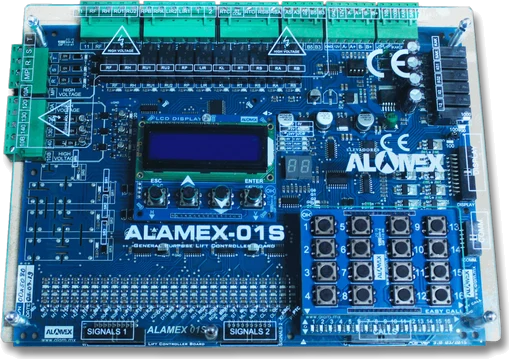
Before requesting a spare part, be clear about the function of the board in your system. Ask your technician if the failure is in the main board, the serial board, the push-button station board (LOP), or in an associated module such as encoder or door operator. Knowing this prevents confusing boards with different functions.
When you speak with the technician, ask them to confirm the exact installed variant: for example, a main board ALAM 03 or ML65XL; or an interior board for LOP serial. That precision makes it easier for the supplier to prepare the correct spare part.
Never ask someone without training to open or handle the board. Request that the technician identify the reference printed on the board and confirm the model before ordering the spare part.
- Main board vs. serial board: different functions.
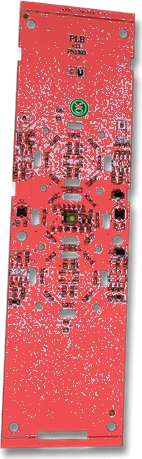
- LOP serial push-button station: 60 x 226 mm format.
- Door operator board: 20VAC±10% power supply.
›››2) What Technical Data to Gather with Your Technician
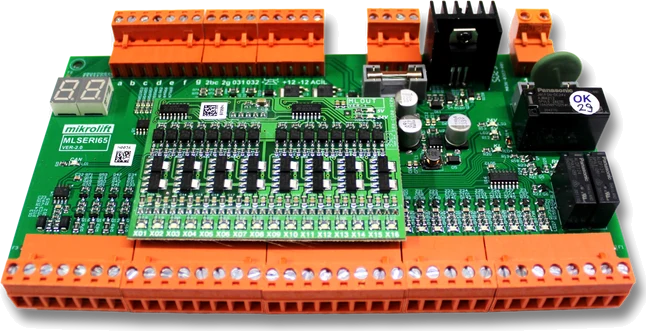
Ask the technician to write down the data that appears on the board or on the control panel. For ALAM 03 boards it is useful to confirm capacity and compatibility: for example, that the main board has 16 outputs and that the serial board provides a special output for high speed.
If the system uses ML65XL, confirm the number of floors and the type of communication: the main board supports up to 24 floors and car communication is CAN-BUS; the serial ML65XL also uses CAN-BUS and has an internal battery charger unit.
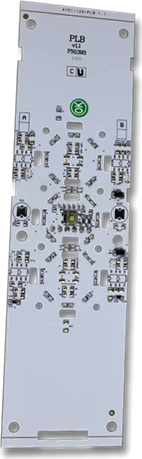
For LOP serial record the physical dimensions (60 mm x 226 mm), display colors (blue and red) and compatibility with Intelligent Alamex Control. For car operator boards note the indicated power supply and dimensions: 20VAC±10% and 160 x 116 x 30 mm.
- Write down exactly the reference (ALAM 03, ML65XL, LOP serial, etc.).
- Record communications: CAN-BUS or another interface.
- Note visible dimensions and voltages on the board.
›››3) What to Inspect Visually and Functionally (Without Interfering)
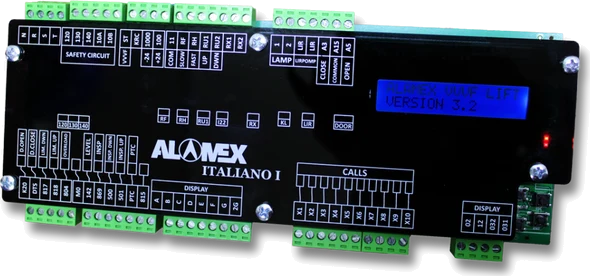
Request that the technician perform only inspections that require training. You can observe and note what the technician reports: messages on the LCD screen, overspeed warnings or displayed codes, behavior of status LEDs, and whether there are visibly burned components on the cover opened by the technician.
Ask the technician to describe whether the screen displays maintenance alerts or phase errors (on Italian boards or ITALIAN 1 a warning appears when the door is open too long). Write down exactly the text or code reported by the controller.
If there is a floor push-button failure, ask the technician to confirm whether the display is blue and red and to measure that the LOP series connection responds. For encoder, request information about the type (ERN 1387, ECN series or incremental 1024) and the maximum input frequency detected by the technician.
- Record exact messages on the LCD and error codes.
- Note whether there are burned components or visible physical signs.
- Confirm the encoder type if applicable (ERN 1387, ECN, incremental 1024).
›››4) Critical Data According to the Board (What to Request When Quoting)
For ALAM 03, request that the quote include the main board with 16 outputs and the serial board that provides the special output for high speed. Also confirm that the board supports voice announcer in Spanish and compatibility with drives such as Yaskawa.
With ML65XL ask that the quote identify the capacity of up to 24 floors and CAN-BUS communication between main and car; if there is backup battery in the serial, note the presence of the internal battery charger unit and gray code outputs.
If the equipment requires LOP serial, specify the 60 mm x 226 mm format, blue and red display and series connection with 1 or 2 buttons depending on variant. For a car operator board, request that it include the power supply 20VAC±10%, short circuit protection (8A) and control circuit consumption (10W).
- ALAM 03: 16 outputs, announcer in Spanish, output for high speed.
- ML65XL: 24 floors, CAN-BUS, internal battery charger unit.
- LOP serial: 60 x 226 mm, blue and red display.
›››5) What to Record in the Maintenance Log
Keep a clear log where you record each incident related to the boards. Date, time, brief description of the symptom, code or message on screen, name of the technician who intervened, and the action taken (inspection, restart, module replacement, etc.).
Include a line for data that facilitates a quick quote: exact board reference, variant (for example, Main ML65XL or Serial ML65XL), number of floors in the equipment, and whether the system uses CAN-BUS or serial communication. This reduces time when you request a spare part.
Also record if there was physical evidence: burned components, relays activated, or overspeed warning. If the door operator caused the failure, note the recorded power supply (20VAC±10%), short circuit protection (8A), and module dimensions if applicable.
- Date / time / technician / action taken.
- Exact board reference and variant.
- Messages or codes displayed and physical evidence.
›››6) Signs Your Technician Can Use to Recommend Replacement
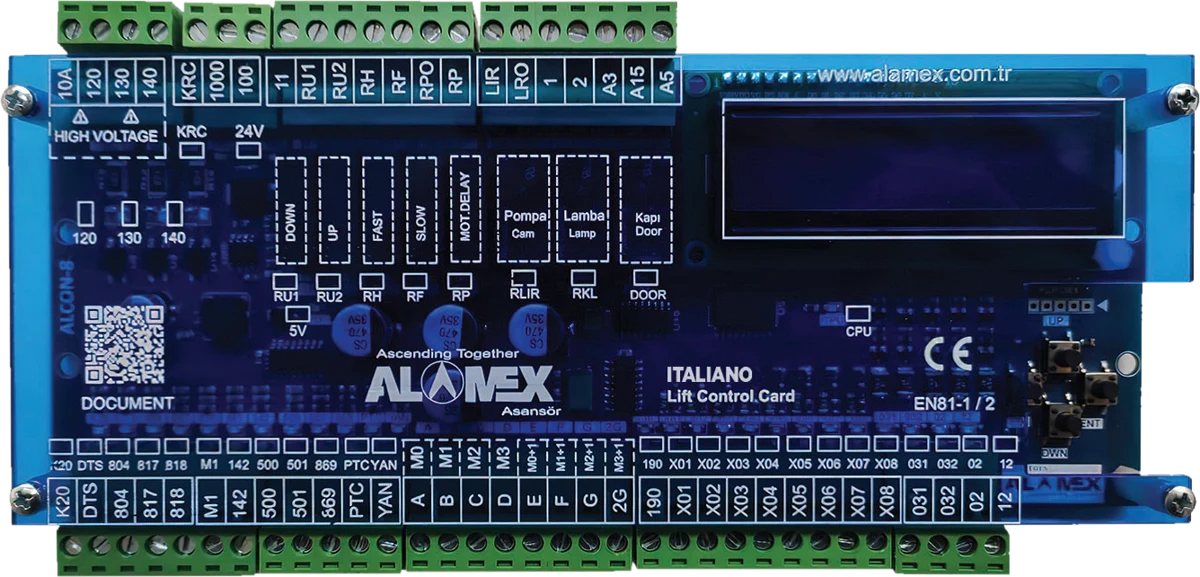
Some indicators lead the technician to recommend replacing the board: intermittent failures, recurring error codes, or visibly damaged components. In boards such as ITALIAN 1, the presence of error messages on the LCD about phases or overspeed is usually relevant for evaluating replacement.
For encoder, if the board does not accept the required frequency (for example, PG-E3 has maximum input frequency of 20 KHz, PG-X3 up to 300 KHz), the technician must confirm compatibility and recommend the appropriate variant according to the installed encoder.
In the case of the push-button station, if the display is damaged or the series connection does not respond, the solution is usually to replace the interior board for LOP serial with its proper format and connectivity.
- Intermittent failures or recurring codes.
- Burned or visibly damaged components.
- Incompatibility between encoder and board (frequency/compatibility).
›››7) Related Spare Parts That May Accompany Your Request
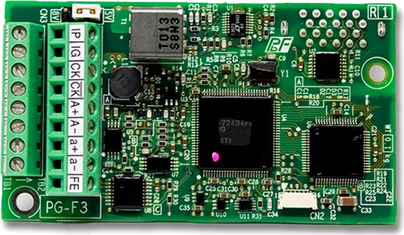
When you request a quote, ask if any complementary board is also required. For example: car operator board ALAM if the problem affects doors; encoder board PG-E3/PG-F3/PG-X3 if there are doubts about position and motor feedback; or the board/panel ITALIAN 1 if the control shows phase failures or LCD screen problems.
These parts may be necessary depending on the technician's diagnosis. When ordering the spare part, provide the complete list of modules that the technician indicates to avoid additional visits. Remember that only a qualified technician should change or install boards and that your role is to gather the data and coordinate the quote.
Finally, document in the log any functional testing the technician performs before and after the change to verify that the spare part resolved the symptom.
- Car operator board ALAM: for door failures.
- Encoder board PG-E3/PG-F3/PG-X3: verify encoder compatibility.
- Board/panel ITALIAN 1: control and diagnostics via LCD.
›››Frequently asked questions
What documents should I provide when requesting a spare part?
Provide the exact board reference (model and variant), the log with observed symptoms and codes, and the technician's confirmation of communication (for example, CAN-BUS) and visible specifications (dimensions, voltages, or capacities).
Can the administrator verify whether a board works?
No. You should not open or handle boards. Your role is to observe and record what the technician reports: screen messages, codes, and the printed reference. Any intervention must be performed by a qualified technician.
If the elevator displays codes on the LCD, are they useful for quoting?
Yes. Write down the exact text or code that appears and share it with your technician and supplier. That information speeds up diagnosis and identification of the needed board.
What electrical variables should I record for the door operator?
Ask the technician to confirm and record the indicated power supply and protections: for example, 20VAC±10% and short circuit protection (8A), as well as control circuit consumption (10W).
With this checklist you will be able to coordinate better with your technician and have the information on hand that enables a quick quote. Visit our store to put together your request or write to an advisor and we will guide you on the spare part you need.